Menu-bar indicator
A small ">>" icon that turns red when any metric breaches its alert threshold.
A minimal macOS menu-bar system monitor with a retro CRT / Pip-Boy aesthetic. Pure Swift + AppKit + WebKit — zero third-party dependencies.
A small ">>" icon that turns red when any metric breaches its alert threshold.
The icon becomes a rolling readout cycling every 3 s through CPU → MEM → GPU → DSK. When a threshold is breached, rotation locks on the offender in red.
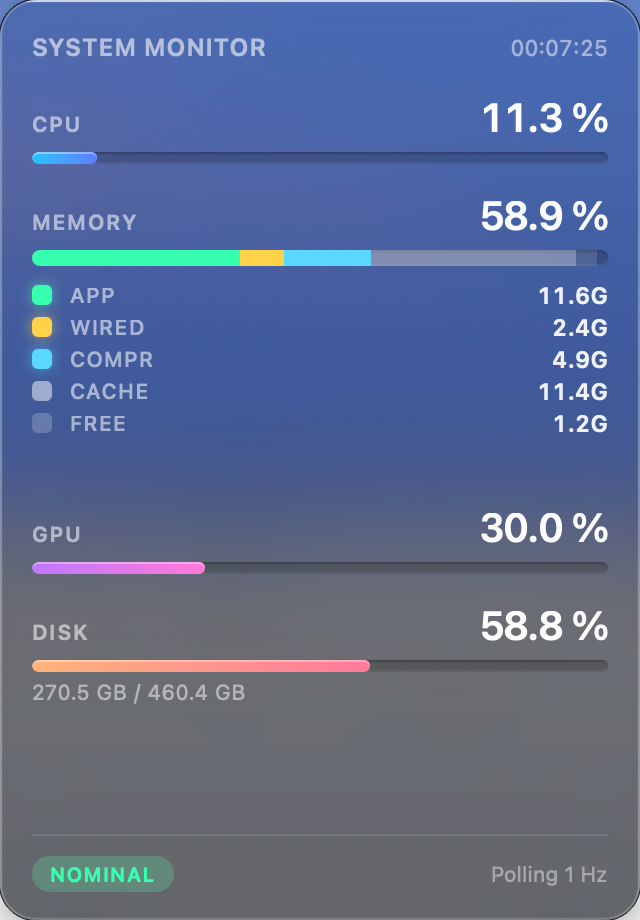
Left-click to open a 320×460 dashboard with live bar charts. Click outside to collapse.
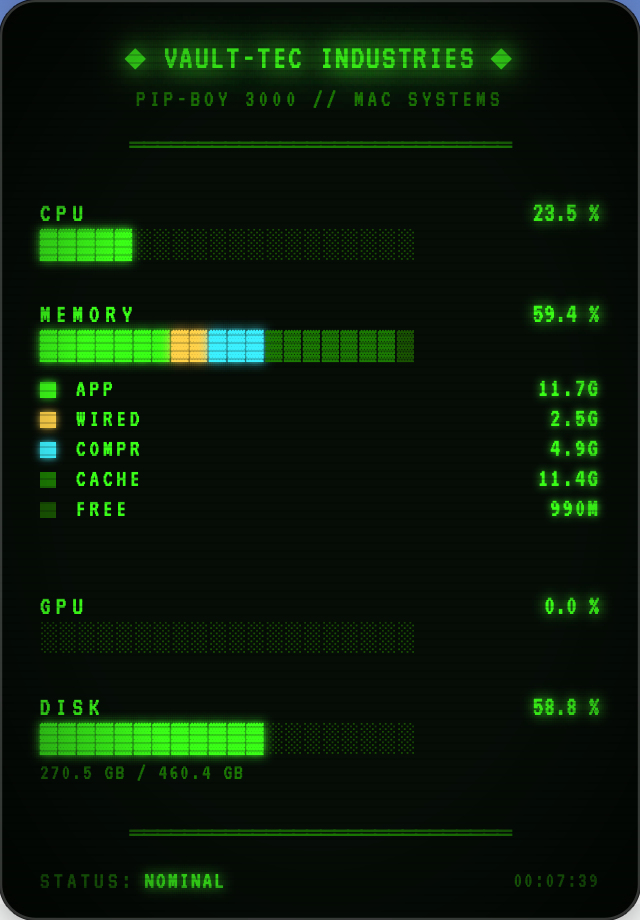
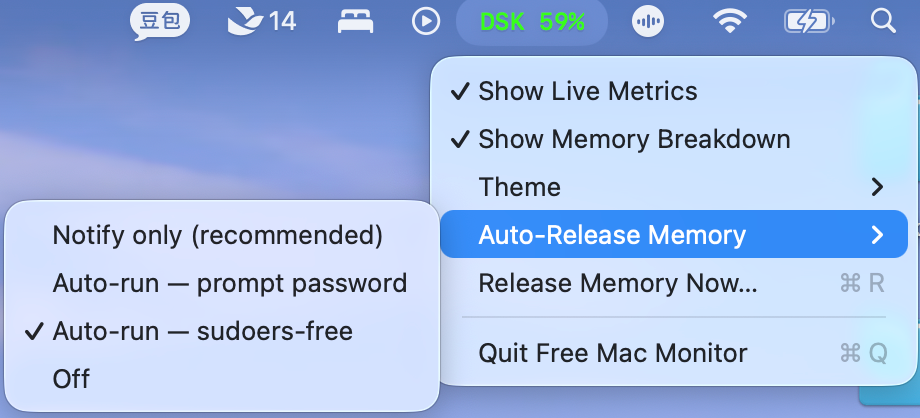
Liquid Glass by default — translucent NSVisualEffectView popover with SF Pro and gradient pill bars. Or switch to Fallout Terminal: VT323 CRT phosphor-green with ASCII bars and scanlines. Right-click → Theme ▸.
Toggle Show Memory Breakdown — the MEMORY row becomes a 5-colour stacked chart (App / Wired / Compressed / Cached / Free) with a 5-row legend and GB values, matching Activity Monitor's categorisation.
At sustained 98 % memory pressure, optionally fire /usr/sbin/purge and run a live status-bar animation ([FLUSH ▓▓▓▓] → MEM 82 % ▼16). ▼N shows the real measured drop — ▼0 when nothing actually released. Three modes in right-click → Auto-Release Memory ▸.
1 Hz while you're watching; 0.2 Hz (GPU/disk even less) when only alert thresholds need checking. Cached Mach host port and single-key IOKit reads keep the monitor itself near-zero cost.
Per-metric alert thresholds, Launch at Login (SMAppService), daily update notifications from GitHub Releases, and a fully offline panel — the VT323 font ships inside the app.
Pure Swift + AppKit + WebKit. Darwin and IOKit handle all metric sampling directly.
Theme, Show Live Metrics, Show Memory Breakdown, and Auto-Release mode all persist in UserDefaults and restore on next launch.
Downloads the latest release, verifies the SHA-256, strips the quarantine flag, installs to /Applications and launches the app.
curl -fsSL https://raw.githubusercontent.com/pekinlcc/FreeMacMonitor/main/scripts/install.sh | bash
Grab the signed .zip from Releases, unzip, drag into /Applications.
If you have Xcode 15 / Command Line Tools installed.
git clone https://github.com/pekinlcc/FreeMacMonitor.git && cd freemacmonitor && ./build.sh
The app is ad-hoc signed, not notarised — macOS will flag it as unsigned on first launch. Easiest fix: xattr -cr "/Applications/Free Mac Monitor.app" (the one-line installer does this for you). Or right-click the app → Open, or System Settings → Privacy & Security → Open Anyway.
# quick install
$ curl -fsSL https://raw.githubusercontent.com/\
    pekinlcc/FreeMacMonitor/main/scripts/install.sh | bash
» resolving latest release
» downloading Free-Mac-Monitor-v1.0.0.zip
» checksum OK
» installing to /Applications
» launching

# or build from source
$ git clone https://github.com/pekinlcc/FreeMacMonitor.git
$ cd freemacmonitor && ./build.sh
$ open "Free Mac Monitor.app"█
Runs with LSUIElement = true. No Dock icon, no app-switcher entry — just a status item in the menu bar.
Drives both the menu-bar rendering and the optional WebKit panel update. Simple, synchronous, predictable.
Loaded via WKWebView.loadFileURL. Metric updates pushed in with evaluateJavaScript — no IPC, no server.
NSEvent.addGlobalMonitorForEvents catches clicks in other apps' windows, avoiding re-toggle races with the status-bar button.
Sources/FreeMacMonitor/
├─ main.swift                # NSApplication bootstrap
├─ AppDelegate.swift         # wires up status bar controller
├─ StatusBarController.swift # status item + panel + polling + alerts
├─ SystemMetrics.swift       # Darwin + IOKit sampling
└─ Resources/
   ├─ index.html             # Pip-Boy dashboard markup
   ├─ app.js                 # metric renderer
   └─ style.css              # CRT / Pip-Boy theme
scripts/make_icon.swift      # Core Graphics icon generator
build.sh                     # SPM release + .app assembly
Info.plist                   # LSUIElement, CFBundleIconFile